A wedding photographer delivers 2,000 photos. The couple looks at all of them. Everybody else scrolls for a minute, finds two of themselves, and gives up.
Those guests are the people most likely to book, share or recommend that photographer, and almost none of them ever see their best picture.
Face recognition fixes this neatly. A guest takes one selfie, and gets only the photos they are in. But it also means handling people's faces as data, and that deserves more care than a line at the bottom of the contract. Here is how to do both well.
How it works
The idea is simpler than it sounds:
- The event gets a QR code. It goes on tables, at the entrance or on a screen.
- A guest scans it, enters an email address and takes a selfie. No app.
- The photographer uploads the photos. Software finds every face in each one.
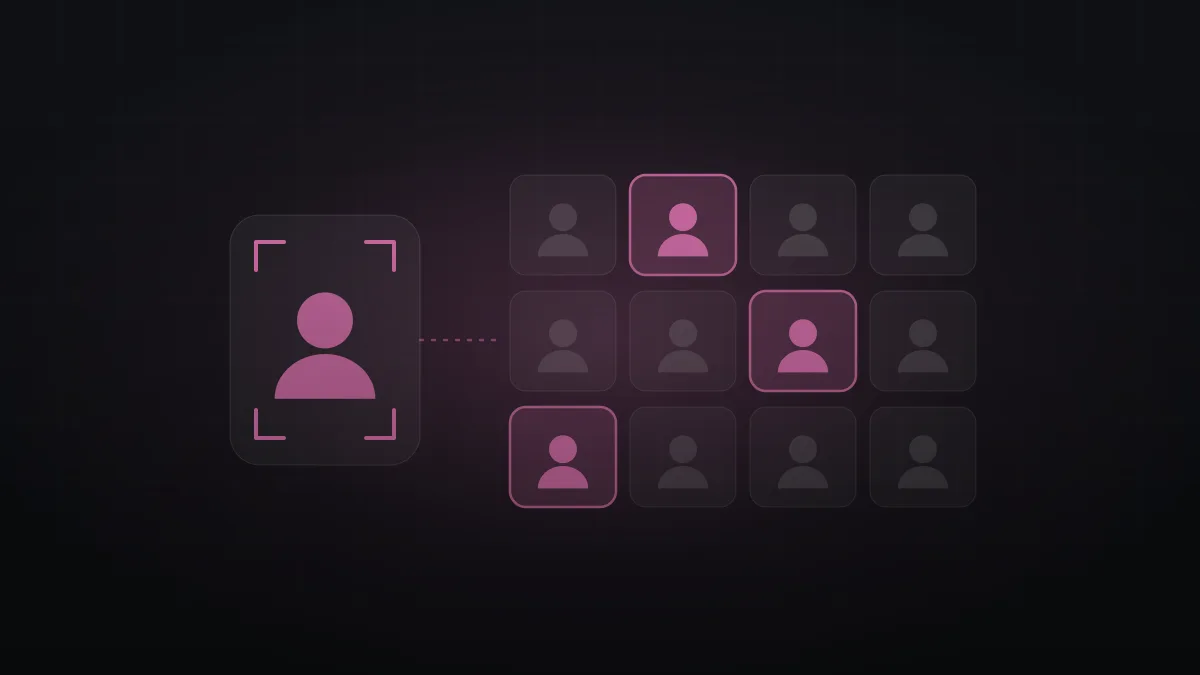
- Each face becomes a list of numbers, called an embedding. Two pictures of the same person give similar numbers; two different people do not.
- The guest's selfie is compared with every face, and the close matches go into a private gallery.
Nobody is identified by name. The software does not know who anyone is. It only answers one question: is the person in this selfie also in that photo?
Why not just share a folder?
| Shared folder | Face-matched gallery | |
|---|---|---|
| Guest effort | Scroll through everything | One selfie |
| Who sees your photos | Anyone with the link | Only people in them |
| Photographer effort | Upload, then answer "where is mine?" | Upload once |
| Useful after the event | Rarely opened again | A personal link worth sharing |
The second row surprises people. A folder link that 300 guests can forward is not the privacy-friendly option. Every guest can see, and download, every other guest.
Where matching goes wrong
No system is perfect, and it is better to plan for mistakes than to be surprised by them. There are two kinds.
Missed matches. The guest is in the photo, but it was not found. Common causes are a side-on face, sunglasses, heavy blur, a tiny face in the back row, or a dim selfie taken at the party. Fixes: ask for the selfie in good light, let guests retake it, and shoot a few clean group photos.
Wrong matches. The guest is shown somebody else's photo. Close relatives are a common cause. It is the more serious error, because it shows a stranger's picture to the wrong person.
That is why a good system does not give just a yes or no. Ours sorts matches into high, medium and low confidence, and the studio decides what is sent. For a public marathon you may accept medium. For a family wedding or a school event, send only high.
Do not rely on a single accuracy figure from any vendor. Results depend on the light, the angle and the cameras. Test with 50 photos from one of your own events before you promise anything to a client.
Consent: what the law expects
This section is general information, not legal advice.
In India, a photo of an identifiable person and the face data made from it are personal data under the DPDP Act. The government's explainer on the DPDP Rules says people should get a separate, clear consent notice that explains the specific purpose, and that they may withdraw consent at any time. The main duties apply from 13 May 2027, and we have written a fuller guide to that deadline.
In the UK, the regulator's guidance is stricter. Biometric data used to recognise people is special category data, and explicit consent is likely to be the most appropriate condition. The ICO adds three points that apply neatly to events:
- You must offer a suitable alternative to people who say no.
- You cannot infer explicit consent from what someone does. It has to be a clear statement. Scanning a QR code is not enough by itself.
- You must not assume that someone who walks into view has agreed.
That last one matters. The guest who takes a selfie has chosen to be matched. The other 299 faces in the photos have not. So work only for the person who asked:
- Match against the faces of people who registered, and nobody else.
- Do not keep face data for people who never registered longer than the matching needs.
- Never reuse it for anything else. No advertising, no "people you may know", no matching across different clients' events.
Wording you can use
Put this beside an unticked box on the selfie screen:
I agree that [Studio] may use my selfie to find photos of me from [Event] by face recognition, and email them to me. My selfie and face data will be deleted [30] days after the event. I can ask for them to be deleted sooner at [email].
And on a sign at the venue, so that nobody is caught out:
Photos are being taken today. If you would like yours, scan here. Face matching is only used for guests who sign up. Prefer not to? Ask us, and we will send your photos another way.
"Another way" can be as simple as a guest describing what they wore, or the host picking out their pictures.