Transcribes
Live, as people speak

Case study
Convoiq is a real-time AI meeting assistant we designed and built.
What it is
A live AI assistant for meetings
Who it's for
People who take important calls: sales, interviews, client meetings
What it does
Hears both sides, spots questions and suggests answers during the call
The challenge
The hardest questions in a sales call, an interview or a client meeting arrive live. Taking notes while you answer means missing something, and a summary afterwards does not help in the moment.
The brief was an assistant that works during the call: one that hears both sides, notices the question and has a suggested answer on screen before you need it - without the other people on the call seeing it.
What we built
How it works
Transcribes
Live, as people speak
Listens to
Both sides of the call
During screen share
Stays hidden
The desktop app captures your microphone and the call audio separately.
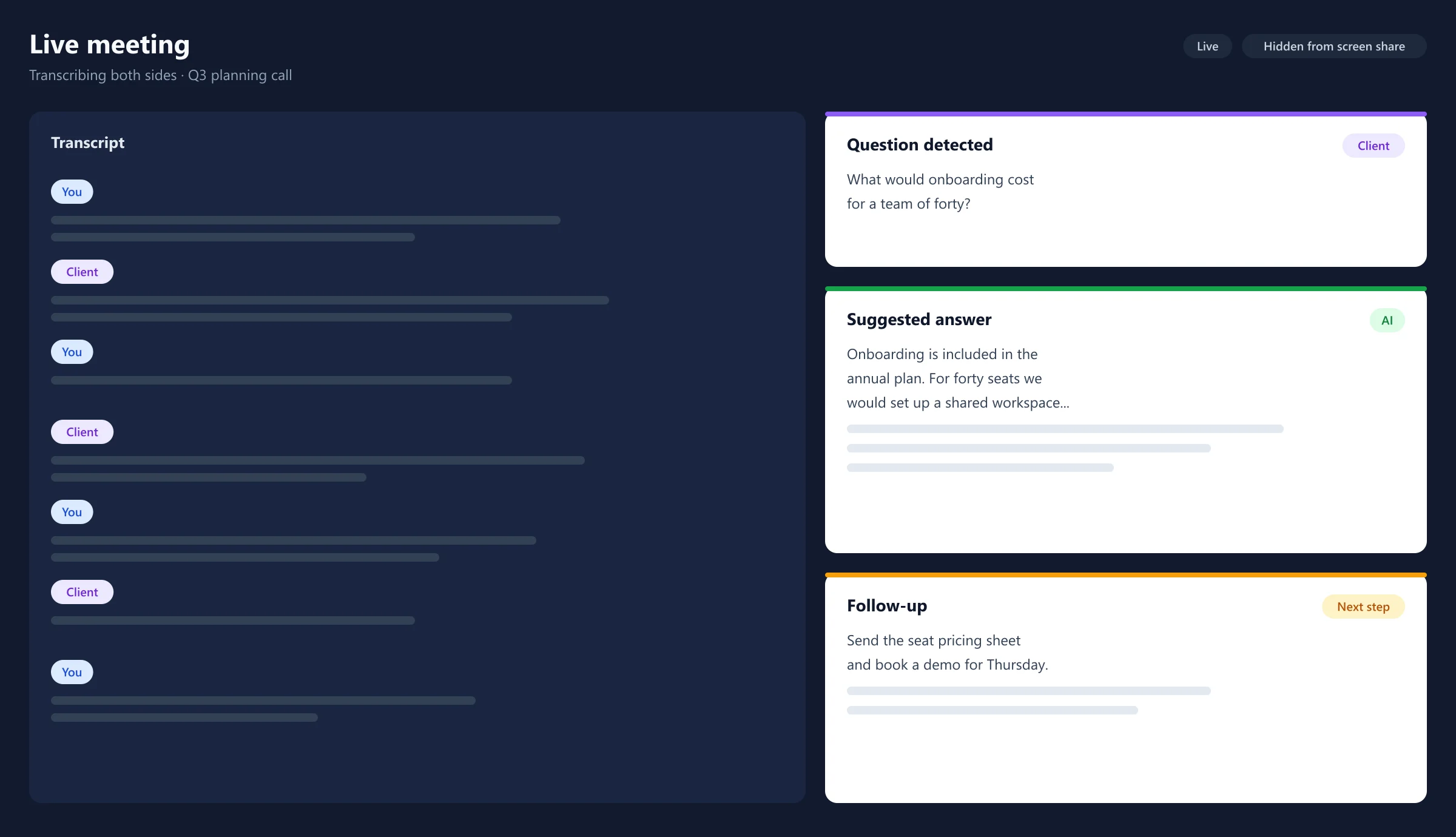
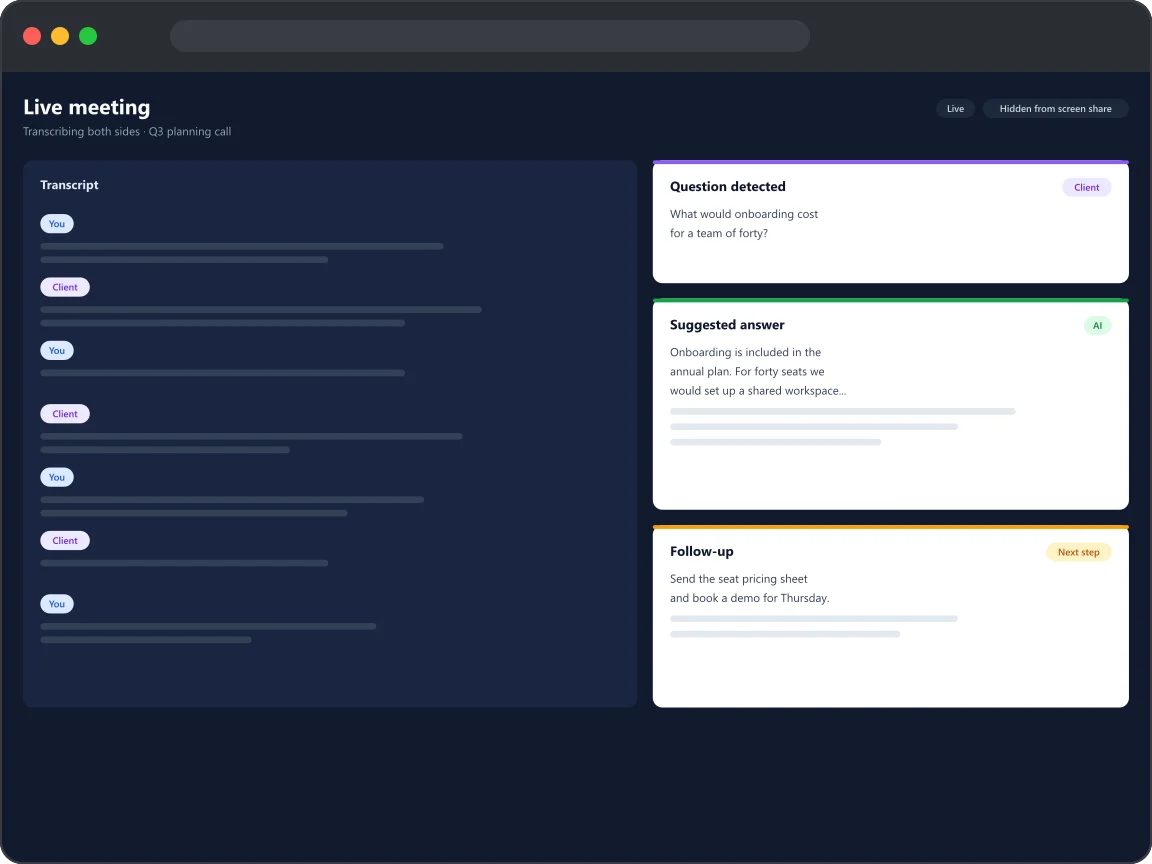
Both sides are transcribed live, as people speak.
Questions are picked out the moment they are asked.
A draft answer appears on screen, hidden from screen sharing.
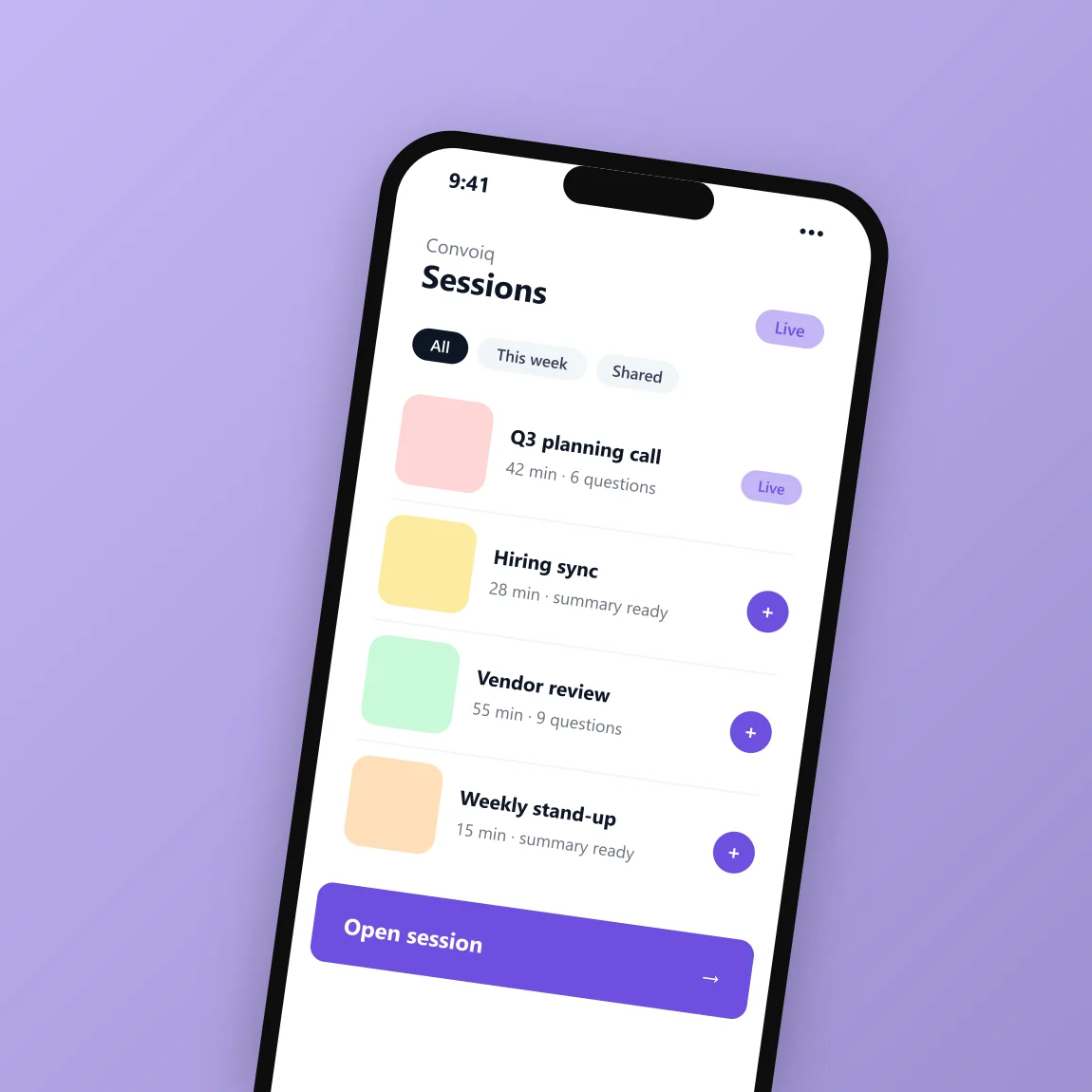
Transcript, questions and a follow-up chat are saved to the dashboard.
Screens
Built with
A FastAPI backend handles sign-in, sessions and a real-time gateway to the speech and AI services. The Electron desktop app bundles small audio-capture helpers - .NET on Windows and Swift with ScreenCaptureKit on macOS - so it can hear both the microphone and the call.
The Next.js dashboard runs at convoiq.datavonix.com. Builds, tests and desktop releases run through GitHub Actions.
Tell us about your idea and we'll build something you're proud of.
Contact us
Send over the problem, the deadline, or the half-finished system. We come back with an honest scope, an architecture direction, and a number.